

Ready-made scripts: what you can install in one click
A ready-made script installs the software you need on the server, configures it and gets the server working — no manual fiddling in the console. Scripts run from your account on a running server, with no reinstall needed. The catalogue has about twenty scripts, from web stacks and control panels to monitoring and VPN.
How to run a script
- In your account at my.forestsnet.cloud, open the VPS section and select the server.
- Press System → Run script.
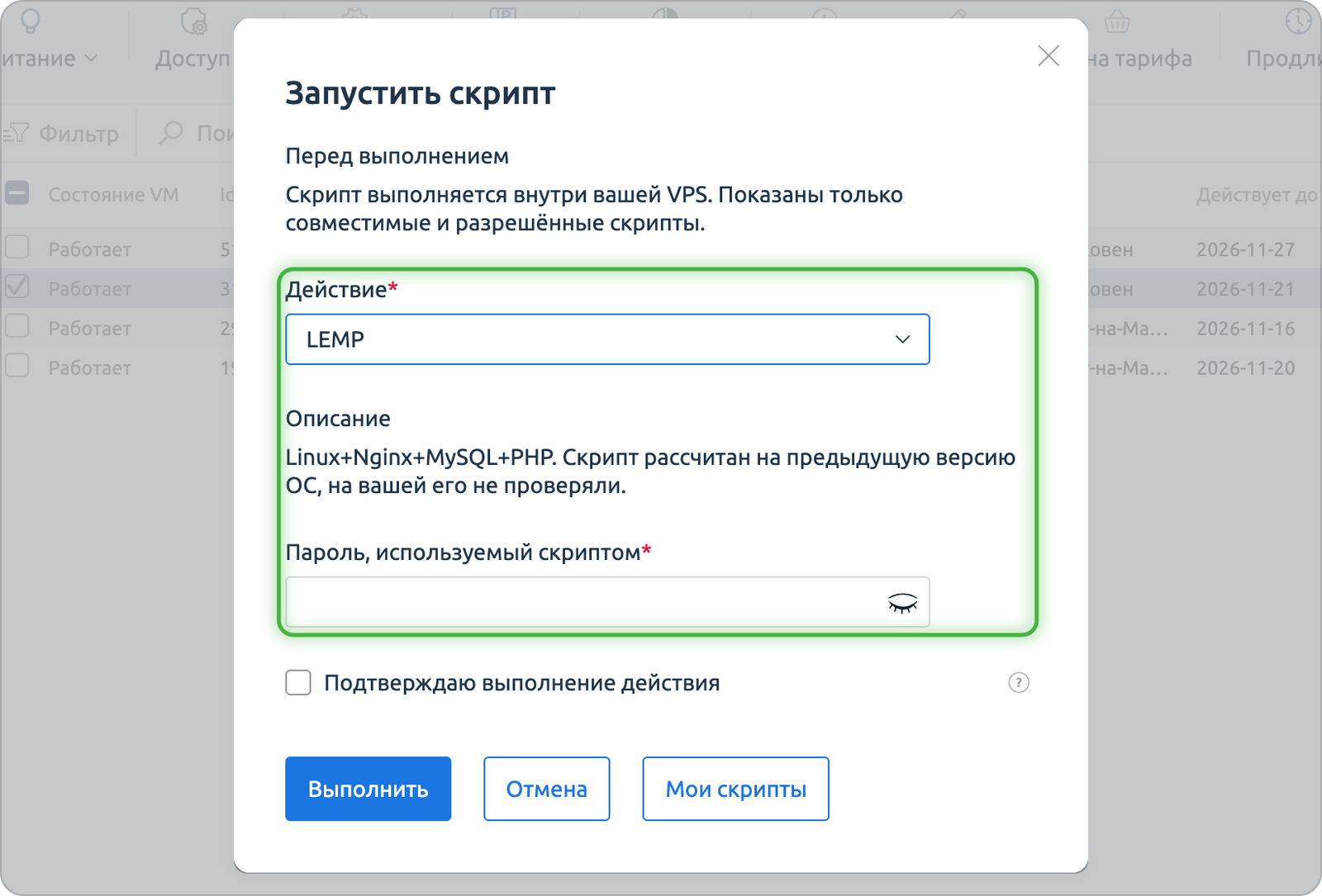
- Pick a script from the list. Its description appears below the choice, and if the script needs data (a domain or a password, for example), the form asks for it.
- Confirm the run. Progress and the result are shown under History → Operation log.
Your own scripts
Under System → My scripts you can save a script of your own — for example, installing your usual set of packages — and run it on any of your servers just like the ready-made ones.
Script catalogue
Control panels
- Ispmanager — the ISPmanager hosting control panel: sites, mail, databases and DNS from a single web interface. OS: AlmaLinux 8/9/10, Debian 11/12, Ubuntu 22.04/24.04, Rocky Linux 8.
- ISPmanager + MariaDB — the same, with MariaDB already configured. OS: AlmaLinux 8/9/10, Ubuntu 22.04/24.04, Rocky Linux 8.
CMS and business applications
- 1С-Битрикс: Веб-окружение — a ready-made server environment (web server, PHP, database) for 1С-Битрикс sites, all that is left is to deploy the site itself. OS: AlmaLinux 9, Rocky Linux 9.
Web stack
- LEMP — Linux, Nginx, MySQL and PHP in one script. OS: Linux.
- LAMP — the classic LAMP stack (Linux, Apache, MySQL, PHP), with Nginx added. OS: Linux.
- Django — a Django, uWSGI and Nginx environment. OS: Linux.
- Tomcat — the Apache Tomcat servlet container, listening on port 8080. The Tomcat admin web interface is available too, and its password is the server’s root password. OS: Linux.
Network and VPN
- Wireguard VPN — sets up a VPN server on WireGuard. The script puts a ready-made client config at
/etc/wireguard/client/client.conf. OS: AlmaLinux 8/9, Rocky Linux 8/9, Debian 11/12, Ubuntu 20.04/22.04/24.04. - Openvpn — sets up a VPN server on OpenVPN. The client connection key is in
/etc/openvpn/easy-rsa/keys. OS: Linux. - Route Reflector — sets up FRR as a BGP Route Reflector. OS: Debian 11/12, Ubuntu 20.04/22.04/24.04, AlmaLinux 8/9, Rocky Linux 8/9.
Monitoring
- Zabbix server — a full Zabbix monitoring server. Web interface login: username
Admin, passwordzabbix, change it right away. OS: Linux. - Zabbix proxy — a Zabbix proxy in passive mode that collects metrics from remote nodes and forwards them to the Zabbix server. OS: Linux.
- Zabbix agent2 linux — a Zabbix agent for monitoring the server itself. OS: Linux.
- Nagios ncpa linux — the Nagios monitoring agent (NCPA). OS: AlmaLinux 8/9, Rocky Linux 8/9, Debian 11/12, Ubuntu 20.04/22.04/24.04.
Setting up monitoring in detail is covered in Monitoring with Zabbix.
Security
- Disable ssh auth by password — turns off password login over SSH, after which the server only accepts key login. OS: Linux.
Other
- Teamspeak — a TeamSpeak 3 voice server. The admin login, password and token are in
/root/ts3_login_data. OS: Linux. - Redmine — the Redmine bug tracker and task manager. Login: username
admin, passwordadminor the server’s root password, depending on the OS. Change it right after your first login. OS: Linux.
Virtualization
- Proxmox VE — deploys the Proxmox VE virtualization platform. OS: Debian 11/12.
What’s next
Not sure which script fits your task, or need one that is not on the list? Write to support and we will help. Everything else you can do with the server is described in Managing your server in the account.
